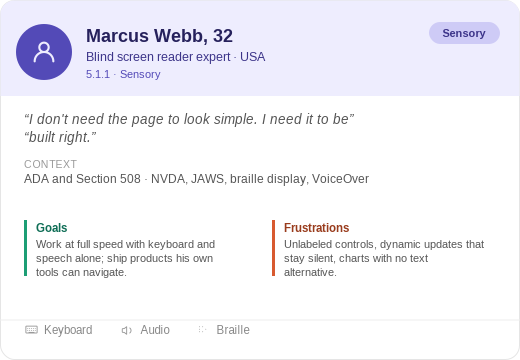
Marcus Webb
Blind screen reader expert
USA · North America · Age 32
- Law
- ADA · Section 508
- Services
- Login.gov / state portals
- Messaging
- iMessage · WhatsApp
Assistive Technology
- Keyboard
- Audio
- Braille
I don't need the page to look simple. I need it to be built right.
Goals
Work at full speed with keyboard and speech alone; ship products his own tools can navigate.
Frustrations
Unlabeled controls, dynamic updates that stay silent, charts with no text alternative.
Profile
Marcus Webb was born totally blind and has navigated the world through braille and screen readers his whole life. He studied computer science and now works as an IT developer at a large company, using screen readers like NVDA and JAWS at an expert level. He has a particular interest in web-accessibility testing and improvement, and serves as a core member of his company's accessibility task force.
Technology Environment
- Primary screen readers: NVDA (open source), JAWS (for work)
- Refreshable braille: 40-cell braille display
- Development: Visual Studio Code with accessibility extensions
- Mobile: iPhone with VoiceOver
Daily Scenario
At 9 a.m. Marcus arrives at the office and powers up his laptop. With the Windows start-up sound, JAWS launches automatically and he hears the familiar "JAWS for Windows is ready." He opens Outlook to check email and uses heading navigation (the H key) to scan quickly for the messages that matter.
Today's main task is accessibility testing of the company's own web application. Marcus starts reviewing a new dashboard the dev team added. Moving between elements with Tab, he hits a problem: the screen reader announces only "clickable" without telling him what the button does.
<!-- The problematic markup -->
<div onclick="openSettings()">⚙️</div>

<!-- Marcus's suggested fix -->
<button onclick="openSettings()" aria-label="Open settings">
  <span aria-hidden="true">⚙️</span>
  <span class="sr-only">Settings</span>
</button>
At lunch he and his colleagues settle on a new restaurant. Marcus uses VoiceOver on his iPhone to read reviews in Google Maps. But as the reviews section loads dynamically, the screen reader doesn't announce the change, so he can't tell whether new reviews have appeared. In the end he asks a colleague for help.
Challenges & Strategies
The main challenges Marcus faces:
- Missing text alternatives for visual information: many sites provide no alt text, or meaningless descriptions like "image." In those cases Marcus turns to OCR tools or AI-based image-description services.
- Accessibility of dynamic content: in single-page applications where content updates via AJAX, screen readers often miss the change. Marcus continually coaches dev teams on the correct use of ARIA live regions.
- Complex data visualizations: charts and graphs are hard to understand by screen reader. Marcus relies on data-table alternatives or sonification tools.
Design Implications
- Correct use of semantic HTML: meaningful tags like <button>, <nav>, and <main> give screen-reader users structure and context.
- Guaranteed keyboard access: every interactive element must be reachable by keyboard, with a logical focus order.
- Clear communication of state changes: use ARIA attributes to announce dynamic changes to the screen reader.
- Alternatives for visual information: visual content should always carry a text or audio equivalent.