Oliver Hughes
Navigating with hemianopsia
UK · Europe · Age 49
- Law
- Equality Act 2010 · PSBAR
- Services
- GOV.UK
- Messaging
Assistive Technology
- Keyboard
- Switch
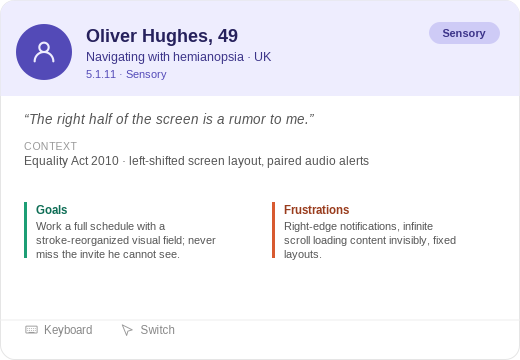
The right half of the screen is a rumor to me.
Goals
Work a full schedule with a stroke-reorganized visual field; never miss the invite he cannot see.
Frustrations
Right-edge notifications, infinite scroll loading content invisibly, fixed layouts.
Profile
Oliver Hughes developed right hemianopsia after a stroke two years ago: he has no vision on the right side in either eye. He returned to work as an IT consultant, but he frequently misses half the screen and has had to change his way of working substantially.
Technology Environment
- Monitor placement: angled about 15° to the left
- Screen setup: important information concentrated on the left
- Browser: sidebar moved to the left
- Notifications: visual and audio alerts together
Daily Scenario
Monday morning, Oliver checks his email. He keeps Outlook's reading pane on the left and minimizes the folder list. Even so, he sometimes misses pop-up alerts that appear on the right and overlooks an important meeting invite.
Working on a presentation, he's glad PowerPoint's slide thumbnails sit on the left by default, but the tools in the task pane on the right are only visible if he consciously turns his head.
// Screen-layout customization for Oliver
const accessibilityLayout = {
  // Keep all important elements in the left 75% of the screen
  mainContent: {
    position: 'left',
    width: '75%',
    importantElements: 'prioritize-left'
  },
  // Show right-side elements only on demand
  rightSidebar: {
    visibility: 'on-demand',
    alternativeAccess: 'keyboard-shortcuts'
  },
  // Place notifications at top-left
  notifications: {
    position: 'top-left',
    audio: true,
    persistence: 'until-acknowledged'
  }
};
While browsing, his biggest problem is infinite-scroll sites: he doesn't notice new content loading on the right, so he keeps seeing the same thing. Oliver prefers sites with traditional pagination.
Challenges & Strategies
- Loss of right-side information: he doesn't naturally perceive the right half of the screen. Oliver deliberately moves his head and eyes to scan the whole display.
- Interrupted reading: reading a long line, he loses it at the right edge. He limits text width and uses left alignment.
- Spatial awareness: grasping the overall layout is hard. He zooms out to see the whole, then zooms in on the part he needs.
Design Implications
- Flexible layout: let users reposition important elements.
- Redundant information: show important information in more than one place.
- Auditory backup: pair visual alerts with sound.
- Clear zoning: use visual dividers to delineate content areas.