이영철 · Lee Yeong-cheol
Retiree with diabetic retinopathy
Korea · East Asia (Korea) · Age 68
- Law
- 장차법 · KWCAG 2.2
- Services
- 정부24 / 카카오·토스
- Messaging
- KakaoTalk
Assistive Technology
- Voice input
- Magnification
- Reminders
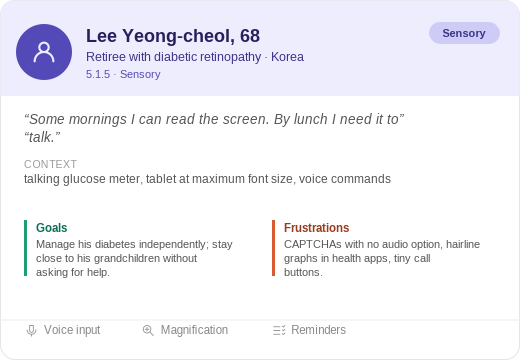
Some mornings I can read the screen. By lunch I need it to talk.
Goals
Manage his diabetes independently; stay close to his grandchildren without asking for help.
Frustrations
CAPTCHAs with no audio option, hairline graphs in health apps, tiny call buttons.
Profile
Lee Young-cheol is a retired teacher who has lived with diabetes for 30 years. Over the past few years, diabetic retinopathy has progressed, leaving his vision uneven, with blind spots and blur in his field of view. A defining feature is that his sight fluctuates with his blood-sugar level. Managing his health and staying in touch with family through digital devices is an important part of his daily life.
Technology Environment
- Tablet: 10-inch iPad (font size at maximum)
- Smartphone: Galaxy Note (mainly voice commands)
- Health apps: a diabetes-management app, a medication-reminder app
- Aids: a magnifier, a talking blood-glucose meter
Daily Scenario
At 7 a.m. Young-cheol checks his blood sugar. His latest meter announces the reading aloud and logs it automatically to a phone app. But when he tries to view the detailed data in the app, the small text and pale-colored graphs give him trouble.
Mid-morning he opens a hospital app to confirm an appointment. The login screen's CAPTCHA shows distorted text with no audio alternative, and after several failed attempts he asks his son for help.
| Time | Blood sugar | Vision | Preferred feature |
|---|---|---|---|
| Morning (fasting) | 110 mg/dL | Relatively clear | Reading text |
| Late morning (post-meal) | 180 mg/dL | Increasing blur | Voice commands |
| Afternoon | 130 mg/dL | Intermediate | Large-icon touch |
| Evening | 95 mg/dL | Blur from fatigue | Voice guidance |
In the afternoon he video-calls his grandson. KakaoTalk's video-call button is so small that he often hits the voice-call button by mistake. Even during a call, the on-screen controls appear as a transparent overlay that's hard to distinguish from the background.
Challenges & Strategies
- Fluctuating vision: his sight changes with blood sugar and fatigue. Young-cheol alternates between text mode and voice mode depending on how he feels.
- Complex authentication: when CAPTCHA or biometrics fail, alternatives are scarce. He sets up auto-login where he can and uses a password manager.
- Small touch targets: close (X) buttons and menu icons especially are too small. He simplified his gestures with AssistiveTouch.
Design Implications
- Flexible interface: offer modes that switch easily with the user's condition.
- Clear feedback: auditory and tactile feedback for touches and actions.
- Simplification option: a simple mode showing only essential functions.
- Accessible authentication: multiple methods, each with an alternative.