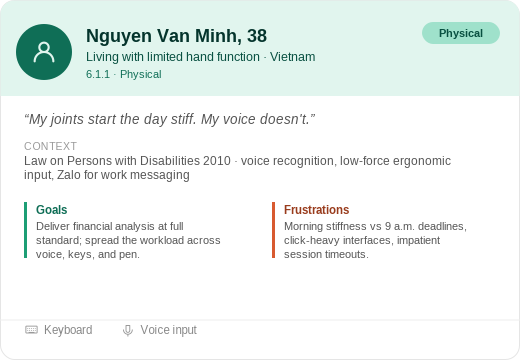
Nguyen Van Minh
Living with limited hand function
Vietnam · Southeast Asia · Age 38
- Law
- Law on PWD 2010
- Services
- VNeID / Zalo ecosystem
- Messaging
- Zalo
Assistive Technology
- Keyboard
- Voice input
My joints start the day stiff. My voice doesn't.
Goals
Deliver financial analysis at full standard; spread the workload across voice, keys, and pen.
Frustrations
Morning stiffness vs 9 a.m. deadlines, click-heavy interfaces, impatient session timeouts.
Profile
Nguyen Van Minh is a financial analyst who was diagnosed with rheumatoid arthritis ten years ago. Inflammation and pain in his finger joints make fine movements difficult; mornings are worst, when his joints stiffen and typing is nearly impossible. Even so, he sustains his productivity with speech recognition and ergonomic tools.
Technology Environment
- Speech recognition: Dragon NaturallySpeaking (98%+ accuracy)
- Keyboard: mechanical keyboard with large keycaps and low actuation force
- Mouse: vertical ergonomic mouse, trackball
- Software: autocomplete, macros, and keyboard-shortcut extensions
Daily Scenario
At 8 a.m. on Monday, Minh reaches the office and first soaks his hands in warm water to loosen the joints. He turns on his computer and launches his speech-recognition software. "Open Excel, quarterly financial report," he says, and the file opens.
He has to enter complex financial data. On a normal day he'd rattle it off on the number pad, but today the joint pain is severe. So he dictates the figures: "Cell B5, twelve million three hundred forty-five thousand dong." The speech engine converts it accurately into numbers.
# Example of Minh's custom voice commands
voice_commands = {
    # Shortcuts for frequent financial terms
    "operating margin": "=B5/B3*100",
    "year over year": "=(C5-B5)/B5*100",
    "quarter total": "=SUM(B5:E5)",

    # Formatting commands
    "percent format": lambda: apply_format("percentage"),
    "currency format": lambda: apply_format("currency"),
    "bold": lambda: apply_format("bold"),

    # Navigation
    "next sheet": lambda: navigate("next_sheet"),
    "pivot table": lambda: create_pivot_table(),

    # Frequent phrases
    "greeting": "Hello, this is Minh from the finance team.",
    "review request": "Please review the attached report.",
}
In the afternoon meeting, Minh carries his laptop to the conference room. He needs to take notes in real time but worries the typing noise will disturb others, so he uses his tablet's handwriting recognition instead—slow strokes with a large stylus that convert to text.
By 6 p.m., a full day at the computer has left his hands swollen. To minimize mouse use he leans on keyboard shortcuts, and Windows' Sticky Keys lets him press combinations like Ctrl+Alt+Del one key at a time.
Challenges & Strategies
The main challenges Minh faces:
- Morning stiffness: for one to two hours after waking, his fingers won't move well. Minh shifts his start time and works mostly by voice input in the mornings.
- Difficulty with sustained use: continuous typing beyond 30 minutes isn't possible. He uses a Pomodoro rhythm—25 minutes of work, 5 of rest—and stretches his hands on the breaks.
- Limits on precise manipulation: small buttons and drag-and-drop are hard. He enlarges the mouse pointer and uses browser extensions that expand click targets.
Design Implications
- Large touch targets: at least 44×44 pixels, ideally 48×48 or more.
- Alternative input methods: offer voice, gesture, and keyboard-shortcut options.
- Minimized fatigue: reduce repetitive actions and strengthen autocomplete.
- Flexible time limits: allow session-timeout extensions and mid-task saving.