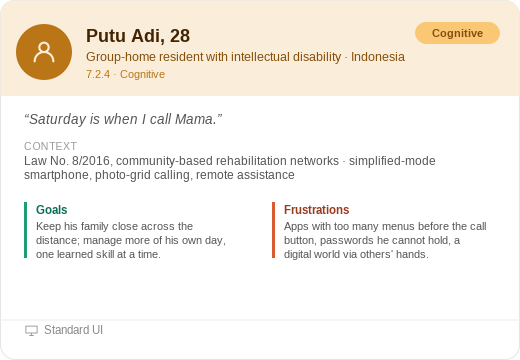
Putu Adi
Group-home resident with intellectual disability
Indonesia · Southeast Asia · Age 28
- Law
- Law No. 8/2016 on PWD
- Services
- Gojek / OVO ecosystem
- Messaging
Assistive Technology
- Standard UI
Saturday is when I call Mama.
Goals
Keep his family close across the distance; manage more of his own day, one learned skill at a time.
Frustrations
Apps with too many menus before the call button, passwords he cannot hold, a digital world via others' hands.
Profile
Putu Adi is an adult with a moderate intellectual disability who lives in a group home with other disabled residents. He steadily learns daily-living skills and places great importance on contact with family. He can use simple digital devices but needs help with complex features.
Technology Environment
- Communication device: simple-mode smartphone, large buttons
- Main apps: video calling, photo album, music
- Support tools: remote-help feature, simple launcher
- Leisure: simple games, video watching
Daily Scenario
Saturday at 3 p.m. is Putu's time to video-call his family. A support worker brings the phone and asks, "Shall we call Mum?" Putu nods, excited.
<!-- A simple calling interface for Putu -->
<div class="simple-phone-interface">
  <header class="app-title"><h1>📞 Make a call</h1></header>
  <main class="contact-grid">
    <button class="contact-button family">
      <img src="mom-photo.jpg" alt="Mum" class="contact-photo">
      <span class="contact-name">Mum</span>
      <span class="contact-icon">👩</span>
    </button>
    <button class="contact-button family">
      <img src="dad-photo.jpg" alt="Dad" class="contact-photo">
      <span class="contact-name">Dad</span>
      <span class="contact-icon">👨</span>
    </button>
    <button class="contact-button family">
      <img src="sister-photo.jpg" alt="Sister" class="contact-photo">
      <span class="contact-name">Sister</span>
      <span class="contact-icon">👧</span>
    </button>
    <button class="contact-button helper">
      <img src="teacher-photo.jpg" alt="Support worker" class="contact-photo">
      <span class="contact-name">Support worker</span>
    </button>
  </main>
  <footer class="help-section">
    <button class="help-button"><span>❓ I need help</span></button>
  </footer>
</div>

<style>
  .simple-phone-interface { font-size: 24px; background: #f0f0f0; }
  .contact-button { width: 150px; height: 180px; margin: 20px; border: 5px solid #4CAF50; border-radius: 15px; background: white; padding: 15px; }
  .contact-photo { width: 100px; height: 100px; border-radius: 50%; }
  .help-button { background: #ff9800; color: white; padding: 20px 40px; border-radius: 10px; }
</style>
Tapping Mum's large photo connects the video call. "Mum! It's me, Putu!" When her face appears, Putu beams. "What did you do today?" she asks, and Putu answers, "Made bread! With the teacher!"
During the call, Putu wants to show the cookies he made today. The worker helps switch to the rear camera. "Wow, those look delicious!" His mum's praise delights him even more. After 15 minutes he says "Love you, Mum" and hangs up.
After dinner, Putu watches videos of his favorite singer on the tablet. The YouTube app is too complex, so he uses 'Putu TV,' an app his worker made—only 10 favorite videos shown large, easy to pick.
Challenges & Strategies
- Complex interfaces: ordinary apps have over-complex menus. Putu uses simplified versions with only essential functions.
- Remembering passwords: numbers and patterns are hard to recall. He unlocks with face recognition or a worker's help.
- Online safety: there's a risk of contact from strangers or harmful content. His device is set to allow only approved contacts and apps.
Design Implications
- Extreme simplification: show only core functions, large and clear.
- Visual cues: represent functions with photos and icons.
- Protective features: prevent accidental deletion or purchase.
- Remote support: let a caregiver assist remotely.