Charlie Burns
Living with OCD
Australia · Oceania · Age 34
- Law
- DDA 1992
- Services
- myGov
- Messaging
- WhatsApp · iMessage
Assistive Technology
- Reminders
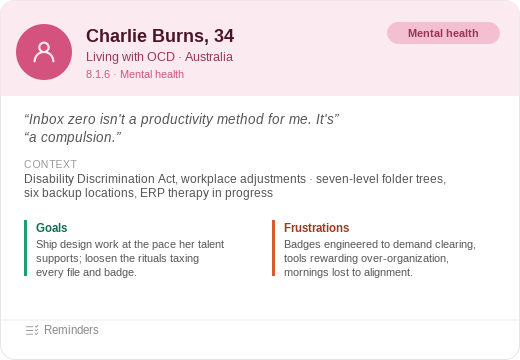
Inbox zero isn't a productivity method for me. It's a compulsion.
Goals
Ship design work at the pace her talent supports; loosen the rituals taxing every file and badge.
Frustrations
Badges engineered to demand clearing, tools rewarding over-organization, mornings lost to alignment.
Profile
Jeong Su-hyun is a UX designer with OCD, with severe checking and ordering compulsions. Even in digital environments, he must organize filenames perfectly, clear every unread notification, and arrange app icons symmetrically before he feels at ease. These compulsions significantly reduce his actual work productivity.
Technology Environment
- File system: extremely fine-grained folder structure
- Notification management: every badge must read zero
- Backup: the same file saved in 5+ places
- Design tools: fixation on pixel-level alignment
Daily Scenario
Monday at 9 a.m., Su-hyun starts by tidying his desktop the moment he arrives, checking that the icons are aligned in a perfect grid and re-placing any that are off by even a pixel. This alone takes 30 minutes.
Going to check email, he finds 47 unread messages in his inbox. Even unimportant promotional mail must all be opened and marked read. He sorts each message by label and moves those needing a reply and those not into separate folders.
// Su-hyun's compulsive file-naming rules
const fileNamingOCD = {
  pattern: 'YYYY-MM-DD_ProjectName_Version_Editor_Status',
  example: '2024-11-28_CompanyA_LandingPage_v3.2_JeongSuhyun_final_final_actually_final',

  folderStructure: {
    depth: 7,   // 7 levels deep
    example: '2024/November/Week4/CompanyA/LandingPage/Design/Final/'
  },

  compulsions: {
    spelling_check: '5+ times',
    date_format: 'must be YYYY-MM-DD',
    case: 'consistent',
    special_chars: 'never used',
    spaces: 'replaced with underscores'
  },

  backupLocations: ['Local drive', 'External HDD', 'Google Drive', 'Dropbox', 'NAS', 'USB (x2)']
};
During afternoon work, a new Slack message notification appears. He tries to ignore the red badge and keep working, but it nags at him and he can't focus. In the end he checks the message and reads every message in the channel to clear the alert.
Even while designing, he loses time verifying that every element is aligned to the pixel. Beyond snapping to an 8-pixel grid, he repeatedly checks that every margin is a multiple of 8 and that color codes are consistent.
Before leaving, Su-hyun backs up the day's files, saving the same file to local storage, three clouds, an external drive, and USB. He checks that the file opens properly in each location—even verifying the file sizes match.
Challenges & Strategies
- Checking compulsion: repeatedly verifying the same thing wastes time. Su-hyun tries marking things visually with a 'check complete' tag.
- Perfectionistic organizing: excessive structuring actually lowers efficiency. He tries to set a 'good enough' standard, but it's hard.
- Notification compulsion: he can't tolerate unread alerts. He made a rule to check notifications only at set times but struggles to keep it.
- Symmetry and alignment compulsion: he can't bear visual imbalance. He practices deliberately allowing slight asymmetry.
Design Implications
- Batch processing: an option to handle many items at once.
- Visual completion indicators: feedback that clearly shows a task is done.
- Flexible organizing options: organization templates that aren't excessive.
- Notification management: filtering by importance and bulk-clearing alerts.