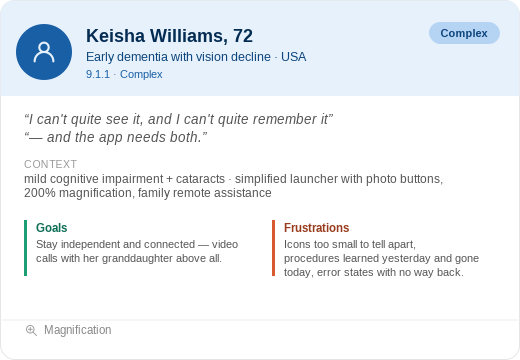
Keisha Williams
Early dementia with vision decline
USA · North America · Age 72
- Law
- ADA · Section 508
- Services
- Login.gov / state portals
- Messaging
- iMessage · WhatsApp
Assistive Technology
- Magnification
I can't quite see it, and I can't quite remember it — and the app needs both.
Goals
Stay independent and connected — video calls with her granddaughter above all.
Frustrations
Icons too small to tell apart, procedures learned yesterday and gone today, error states with no way back.
Profile
Keisha Williams was diagnosed two years ago with mild cognitive impairment (MCI) and also has declining vision from cataracts. A retired elementary-school teacher, she works hard to stay independent, but complex digital interfaces and small text create a double difficulty. She refuses to give up using digital devices, because they keep her connected to family.
Technology Environment
- Tablet: simplified launcher, large icons (at least 2cm × 2cm)
- Vision aids: magnifier, screen magnification (200%)
- Cognitive support: repeated reminders, step-by-step voice guidance
- Backup: family can assist remotely
Daily Scenario
At 9 a.m. Keisha turns on her tablet to video-call her granddaughter, but she can't remember yesterday's steps. Luckily there's a large "Call granddaughter" button on the screen. She presses it and the video call connects automatically.
During the call her granddaughter shows photos, but the screen is small and she can't see them well. Keisha tries to pinch-zoom with two fingers, but the gesture isn't precise and it fails. In the end she holds a physical magnifier up to the screen.
// A simplified interface designed for Keisha
const simplifiedInterface = {
  mainButtons: [
    {
      label: "Call family",
      icon: "family_photo.jpg",
      size: "80px",
      action: "autoCallFamily",
      voicePrompt: "This is the Call Family button"
    },
    {
      label: "View photos",
      icon: "photo_album.jpg",
      size: "80px",
      action: "openSimplifiedGallery",
      voicePrompt: "This is the View Photos button"
    }
  ],
  settings: {
    autoAnswer: true,        // auto-answer family calls
    repeatInstructions: 3,   // repeat voice guidance 3 times
    timeoutWarning: "After 30 seconds of inactivity, return to the home screen"
  }
};
In the afternoon she tries to check a doctor's appointment. Just finding the clinic's app takes 10 minutes—the icons are too small and look alike. She finally opens it, but can't remember her login. Auto-login isn't set up, so she ends up phoning her daughter for help.
Challenges & Strategies
The compounded challenges Keisha faces:
- Vision–cognition interaction: it's hard to compensate for what she can't see with memory, and hard to verify hazy memories visually. Keisha prints important information in large type and posts it on the wall.
- Difficulty learning and remembering: new or updated interfaces are hard to learn. Her family made a manual in large print and pictures.
- Hard error recovery: if she presses the wrong button by mistake, getting back is difficult. She marks the home-button location with a sticker.
Design Implications
- Extreme simplicity: expose only 3–4 core functions; hide the rest.
- Multisensory feedback: visual + auditory + tactile (vibration) at once.
- Error prevention: easy-to-undo design that prevents destructive actions.
- Consistency: keep interface positions fixed even across updates.