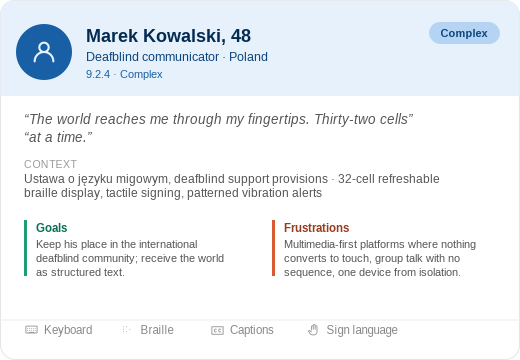
Marek Kowalski
Deafblind communicator
Poland · Europe · Age 48
- Law
- EAA · Ustawa o dostępności
- Services
- mObywatel
- Messaging
- WhatsApp · Messenger
Assistive Technology
- Keyboard
- Braille
- Captions
- Sign language
The world reaches me through my fingertips. Thirty-two cells at a time.
Goals
Keep his place in the international deafblind community; receive the world as structured text.
Frustrations
Multimedia-first platforms where nothing converts to touch, group talk with no sequence, one device from isolation.
Profile
Marek Kowalski is a deafblind person who lost his hearing first and then his sight due to Usher syndrome. He communicates with the world through tactile signing and braille and works as a deafblind-awareness advocate. With great focus and tactile sensitivity, he uses a braille display at an expert level and connects with deafblind people worldwide via email and messaging.
Technology Environment
- Braille display: 32-cell refreshable braille display
- Input: braille keyboard, standard keyboard (with tactile markers)
- Communication: email, braille messaging
- Alerts: vibration notifications in various patterns
Daily Scenario
At 9 a.m., Marek checks email on his braille display, fingers moving quickly over the braille cells to read. It's a meeting invitation from an international deafblind association. He records the date and time in a braille notebook.
# Marek's deafblind communication system
class DeafblindCommunication:
    def __init__(self):
        self.braille_display = {
            'cells': 32, 'refresh_rate': 'instant',
            'language_tables': ['polish', 'english', 'german'],
            'contraction_grade': 2   # contracted (grade-2) braille
        }
        self.vibration_patterns = {
            'email': [100, 50, 100],        # milliseconds
            'message': [200, 100, 200],
            'calendar': [50, 50, 50, 50],
            'emergency': [500, 100, 500, 100, 500]
        }

    def collaborative_document(self):
        # Braille sync for real-time collaboration
        return {
            'cursor_tracking': 'vibration_feedback',
            'other_users': 'unique_vibration_per_user',
            'changes': 'incremental_braille_update',
            'conflict_resolution': 'sequential_access'
        }

    def create_unique_pattern(self, person_id):
        # A unique vibration pattern per person
        base = [100, 100]
        extra = [50 * (person_id % 5) for _ in range(person_id % 3 + 1)]
        return base + extra
At 11 a.m., Marek joins a video meeting with a tactile-signing interpreter who conveys other participants' remarks through tactile sign on Marek's hands. When it's his turn, he refers to braille notes and delivers his views through a speech synthesizer.
In the afternoon, Marek makes educational materials for deafblind students. Beyond converting plain text to braille, he works out how to explain visual concepts tactilely—graphs as embossed diagrams, colors as differences in texture.
In the evening, Marek tests a new tactile-graphic display: 10,000 pins rise and fall to render an image. For the first time he can 'see' the overall composition of a photo, and it moves him. But the resolution is still low and complex images are hard to understand.
Challenges & Strategies
- Extreme limits on information access: all audiovisual information must be converted to touch. Marek compensates with efficient braille reading and a powerful memory.
- Difficulty with live communication: he can't follow several people speaking at once. He requests structured meetings and sequential speaking.
- Tech dependence: if the braille display fails, he's completely isolated. He always keeps backup equipment and has learned basic repair skills.
Design Implications
- Tactile-first design: structure all information so it can be converted to touch.
- Sequential information: deliver simultaneous information in order.
- Efficient navigation: reach desired information with minimal exploration.
- Strong text foundation: prioritize structured text over multimedia.